 / Virginia Learning Center / VLC کے استعمال کے مشورے / کورس مینیجرز / سیکشنز اور ایونٹس کو کیسے حذف کریں
/ Virginia Learning Center / VLC کے استعمال کے مشورے / کورس مینیجرز / سیکشنز اور ایونٹس کو کیسے حذف کریں
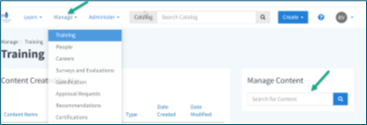
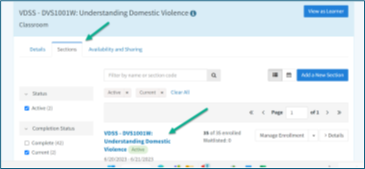
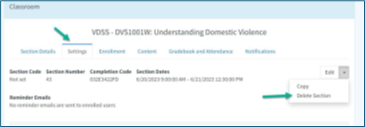
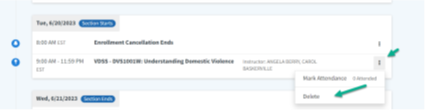
Use the steps below to remove a section or event from the system.
ٹپ
Before deleting, check that the section or event is no longer needed. This helps prevent loss of important training records.





 میرا مقامی شعبہ تلاش کریں